Self-hosted · One-time payment
IT documentation you buy once – not pay for every month.
Devices, cabling down to the wall outlet, licenses, contracts and passwords in one place. On your own server, up and running in minutes.
Pay once, done
No subscription, no per-user fees. You pay once, based on the number of devices you document. Twelve months of updates are included – after that, your version simply keeps running.
Your data stays with you
NetDoc runs on your server, inside your own network. No cloud, no tracking. Outbound connections only happen for services you set up yourself – such as email reminders or SSL certificate checks.
Ready in minutes
One command starts NetDoc, a setup wizard in your browser does the rest. Built for admins who have to do documentation on the side – no weeks of onboarding.
Features
Everything a small IT team needs to document
Every tier includes every feature. The tiers differ only in the number of devices.
Devices & racks
Inventory with device types, custom fields (warranty, cost center, asset tag …), rack layouts and printable QR labels.
Cabling down to the outlet
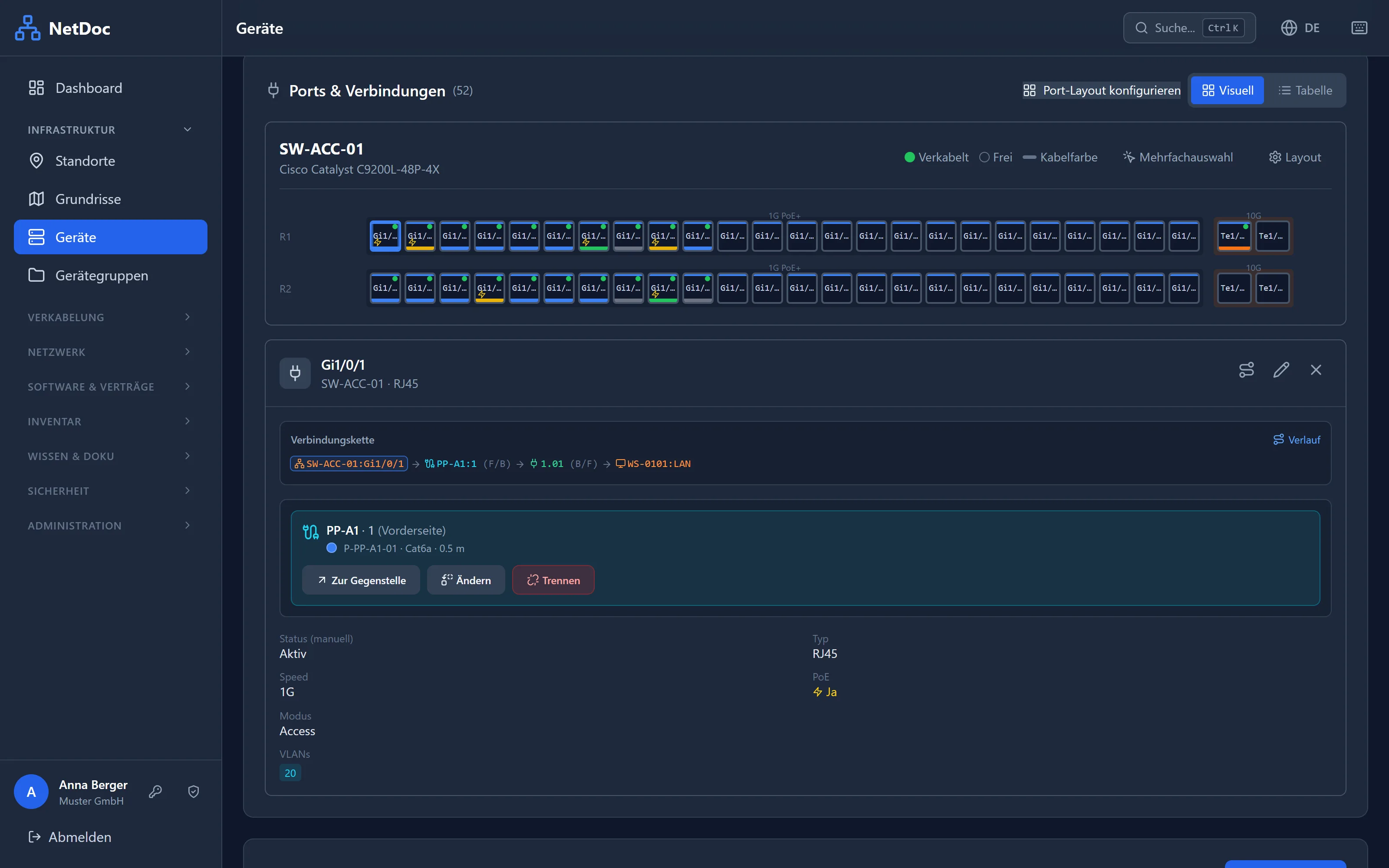
Switch port → patch panel → wall outlet → end device: the whole path in one click. Import your existing patch lists from Excel.
Network & topology
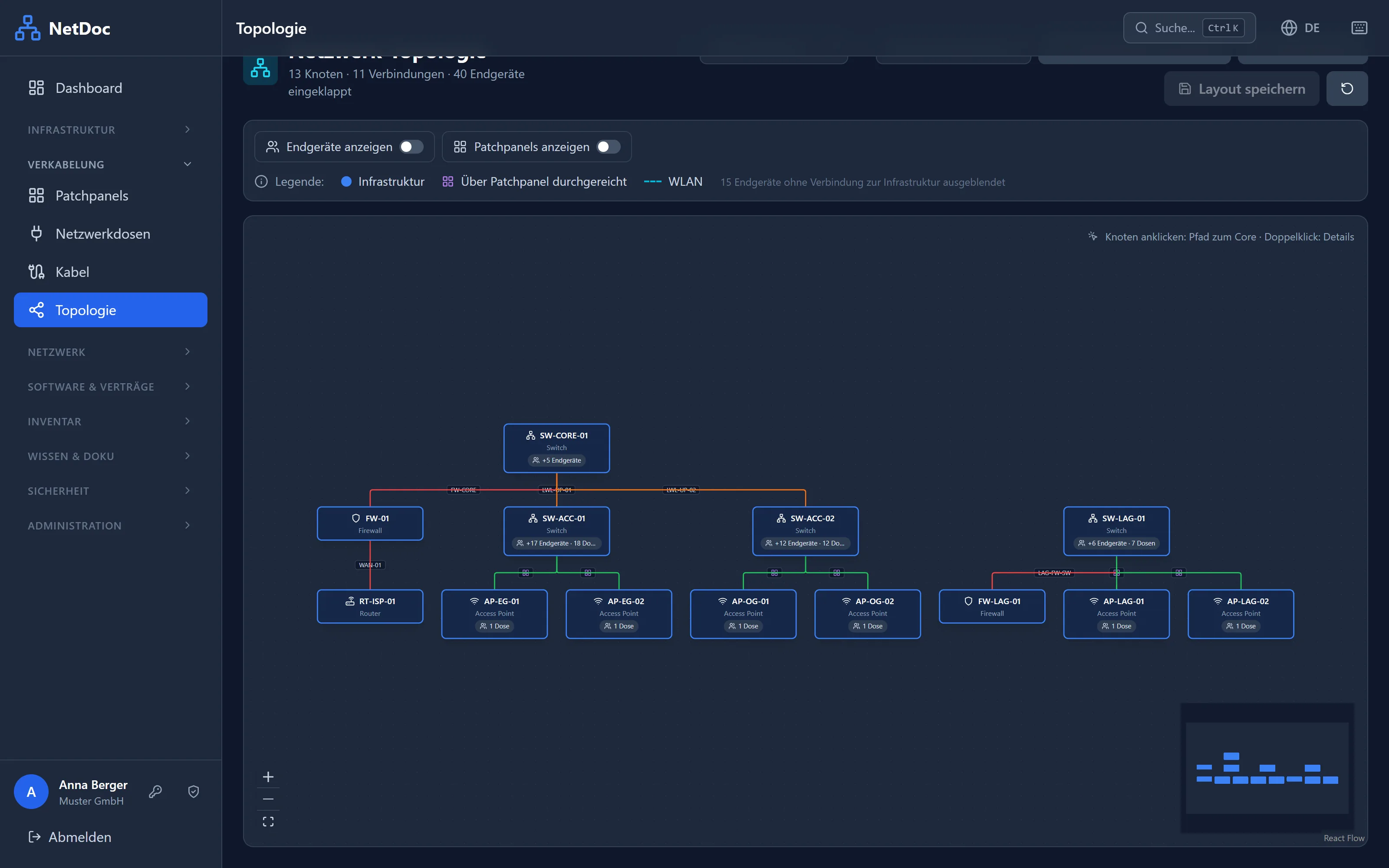
VLANs, IP addresses, Wi-Fi networks and an automatically generated topology showing how your switches, routers and access points connect.
Floor plans
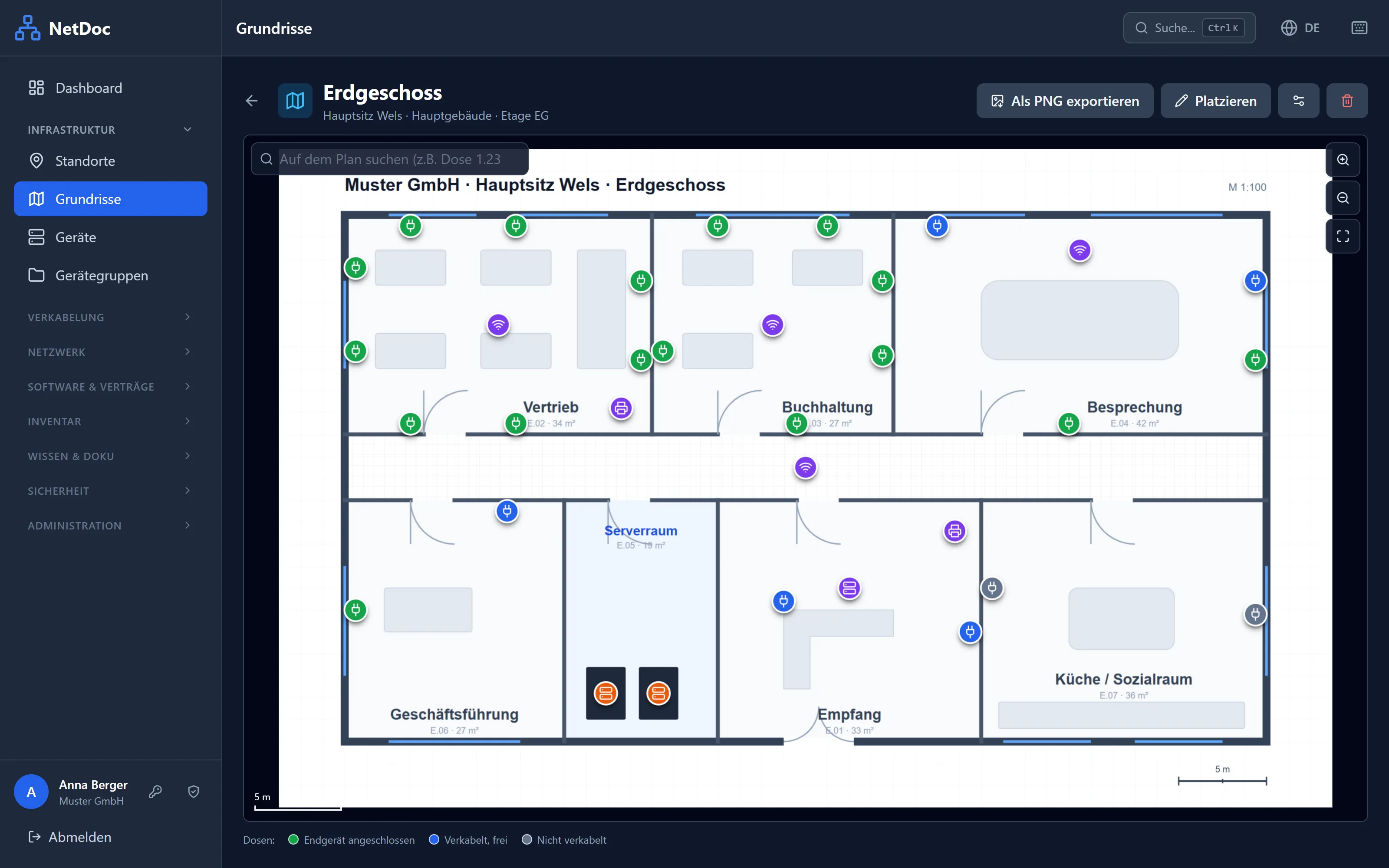
Upload a building plan as an image or PDF and place outlets, access points, printers and racks on it. No more “Where is outlet 1.23?”
Licenses, contracts & deadlines
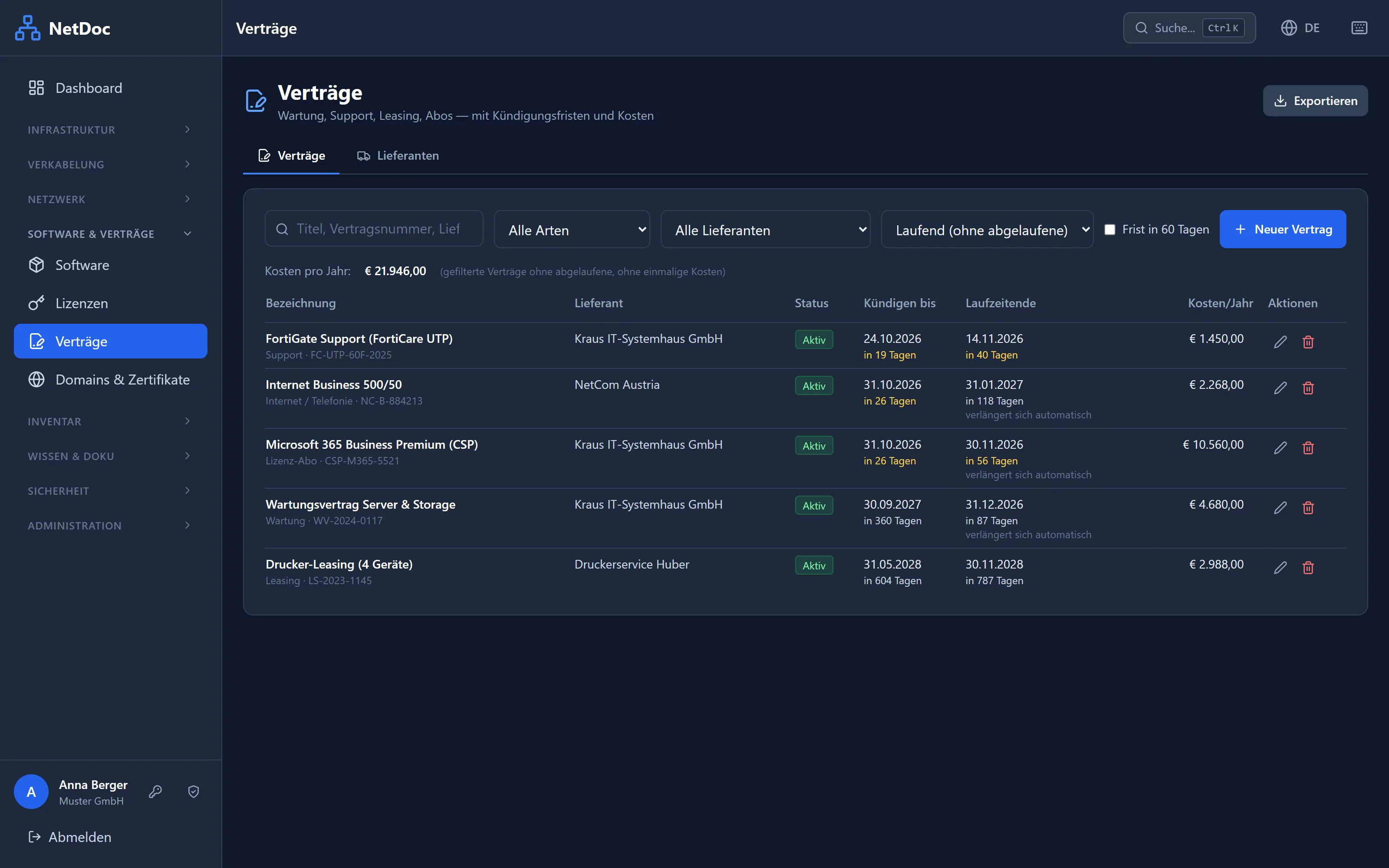
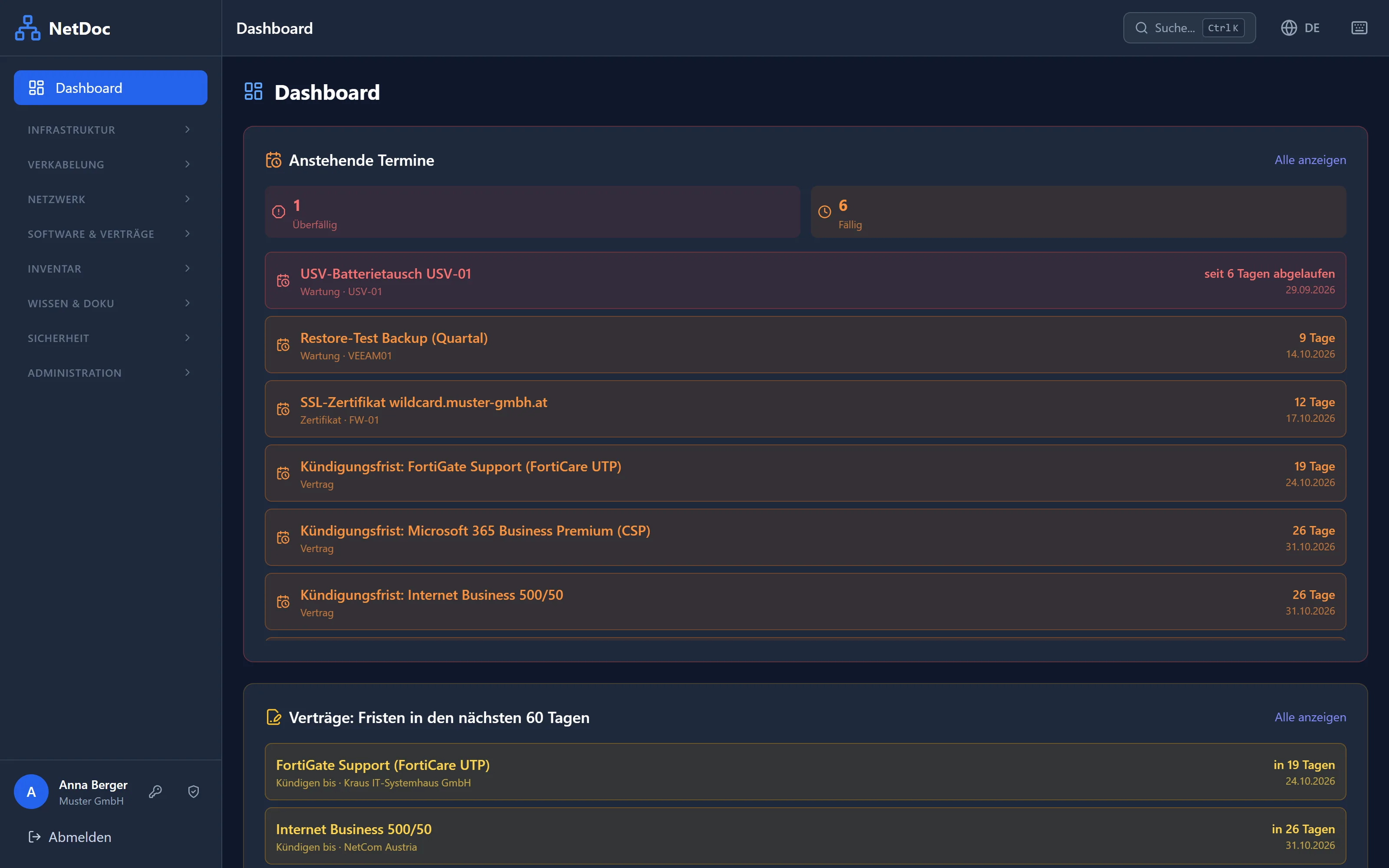
Software licenses, maintenance contracts with notice periods, SSL certificates and domains – NetDoc reminds you by email before it’s too late.
Passwords & credentials
Encrypted vaults with per-group permissions, plus credentials stored right on the device – where you actually need them.
Knowledge base & emergency handbook
How-tos and checklists in a knowledge base. Your IT emergency handbook – for the binder, your insurer or the auditor – is a PDF at the push of a button.
Employees & device handout
Who has which laptop? Hand out and take back devices with a PDF handover form; import employees via CSV or sync them from Microsoft Entra ID.
Permissions & sign-in
User groups with fine-grained permissions, two-factor authentication, Microsoft sign-in and Active Directory. Every change is recorded in the audit log.
Backup, import & API
Automatic backups and restore built into NetDoc, import from CSV and Excel, export to Excel/PDF and a REST API for your own scripts.
On your phone, too
Standing in the server room and need to know where a port goes? NetDoc works in your phone’s browser and can be installed like an app.
Full-text search
One search across everything: devices, IP addresses, outlets, notes, contracts and knowledge base articles.
Installation
Up and running in three steps
All you need is a Linux server or VM with Docker – 1 GB of RAM and 10 GB of storage are enough.
Download
Download the ZIP and extract it on your server. It is deliberately small: it only contains the configuration and instructions, Docker downloads NetDoc itself on first start.
unzip netdoc-v*.zip -d /opt
Start
One command pulls NetDoc and starts it together with its database.
cd /opt/netdoc
docker compose up -d
Set up
Open it in your browser; the wizard asks for your company name, an admin account and your license. Done.
http://your-server
Pricing
Pay once – based on the size of your network
All prices are one-time payments including VAT. What counts is the number of documented devices.
Free Excel template: patch list
Switch port, patch panel, outlet, end device, VLAN, cable type – all in one list, with drop-downs and example rows. Works without NetDoc, and NetDoc imports it directly later.
FAQ
Frequently asked questions
What counts as a device?
Counts: every device you add to NetDoc – for example switches, routers, firewalls, servers, PCs, laptops, printers and access points.
Doesn’t count: patch panels, wall outlets, cables, racks, software, licenses and contracts – you can add as many of those as you like.
What happens when I reach the limit?
Everything stays readable and editable – you just can’t add new devices. Enter a license key for a larger tier and you can carry on right away, no reinstall needed.
What happens after the 12 months of updates?
Your installed version keeps running indefinitely, without any restrictions. You only need to renew updates if you want newer versions.
Can I upgrade to a larger tier later?
Yes. You only pay the difference to the larger tier: send us a short email and you’ll get a personal coupon code, and after the purchase a new license key that replaces your old one.
How do I get my license key?
NetDoc itself is always free to download. After your purchase, you receive your personal license key by email, usually within 24 hours. Enter it in the setup wizard or later under Settings → License.
What do I need for the installation?
A Linux server or VM with Docker and Docker Compose (tested with Ubuntu and Debian), 1 GB of RAM and 10 GB of storage. Runs on Intel/AMD and ARM. An internet connection is only needed for downloading and for updates.
Where is my data stored?
Only on your server. NetDoc doesn’t send any data to us or to third parties. Passwords and credentials are stored encrypted.
How do updates work?
With two commands: docker compose pull and docker compose up -d. NetDoc applies database changes automatically on startup. Creating a backup beforehand takes one click under Settings → Backup.
Is there support?
We help with installation questions and bugs by email at support@getnetdoc.com – on a best-effort basis, without guaranteed response times. Detailed instructions are included with every download.
Can I try NetDoc first?
Yes – the free version includes every feature and is free forever for up to 25 devices. If you like it, just enter a license key; your data stays as it is.
Can I get a refund?
If NetDoc isn’t right for you, we refund the purchase price within 14 days of purchase, no questions asked. A short email is all it takes.
Get started today – for free
Free forever for up to 25 devices. When your network grows, NetDoc grows with it.